分类目录归档:技术

Windows 配置 Claude Code 解决 settings.json 不生效

TL;DR

默认情况下 Windows 安装的 Claude Code 会从这个位置读取配置:

C:\Users\
<YOUR_NAME>\.claude

其他系统则类似的找到 ~/.claude 路径。

官方流程在安装结束后就完成了,可以直接登录使用。如果需要修改配置将 Claude Code 接入第三方 API,就需要修改这里的 settings.json 配置文件,可以使用 CC-Switch 或是手动编写,但是修改后会发现不生效。

经过调研,发现是最新版的 Claude Code 修改了一个参数,导致启动时一定要登录,这里可以手动修改一下 `C:\Users\

\.claude.json` 中的这个参数,即可正常使用: “` hasCompletedOnboarding: true “` 将配置中的 `false` 改为 `true` ,再重新运行 `Claude Code` 即可。 > 这个问题卡了我两天,一度打算放弃回到其他 OS,最后终于在 [这里](https://github.com/farion1231/cc-switch/issues/404#issuecomment-3677768452) 找到了答案,因此特别记录一下。 # Refs – [《 Claude Code 终极版 FAQ 指南 》](https://linux.do/t/topic/803265) – [Windows 用 Claude Code 的最优解是 WSL 吗?](https://linux.do/t/topic/1422264) – [请问一下claude code windows版本claude.exe是否settings.json不生效?](https://linux.do/t/topic/1327596) – [配置好 setting.json 文件之后,Claude任然要求登录?怎么办? #404](https://github.com/farion1231/cc-switch/issues/404#issuecomment-3677768452)

Windows 配置 Claude Code 全流程

今天终于跑通了 Windows 下运行 Claoude Code 的全流程,不借助 WSL ,原生运行。起因是自己需要一个可以长期运行任务的云桌面,这方面还是 Windows 最好用。不得不说相比于 Linux/macOS ,Windows 下运行 Claude Code 实在太多坑了。

感谢 LD 巨佬 哈雷彗星 的 《 Claude Code 终极版 FAQ 指南 》 ,在这份指南的指导下,还有开源社区朋友的帮助下,终于跑通了全流程,在这里记录一下,避免更多的朋友踩坑。

ClaudeCode

环境说明

先说一下我的环境:

  • OS: Windows 10 Enterprise LTSC 2021
  • Shell: PowerShell 5 -> PowerShell 7

我是在全新安装的 Windows 10 Enterprise LTSC 2021 系统中进行,使用系统自带的 PowerShell 5 开始 ,流程中会安装最新的 PoserShell 7 并使用 PS7 完成后续。根据论坛大佬的说法,PS7 很好用,自带的 PS5 不好用,因此下面的流程包含了安装 PS7 的流程,大家可以自己体验一下。

主要流程

以下内容主要来自 《 Claude Code 终极版 FAQ 指南 》 和实践补充。

打开 PowerShell 5 并安装 WinGet:

$progressPreference = 'silentlyContinue'
Install-PackageProvider -Name NuGet -Force | Out-Null
Install-Module -Name Microsoft.WinGet.Client -Force -Repository PSGallery | Out-Null
Write-Host "Using Repair-WinGetPackageManager cmdlet to bootstrap WinGet..."
Repair-WinGetPackageManager -AllUsers

在 PoserShell 5 中使用 WinGet 安装 PoserShell 7

winget install Microsoft.PowerShell

打开 PoserShell 7 并使用 winget 安装其他依赖,后续全部在 PS7 中进行:


# 必须,安装 fnm 用于管理 node 环境,或使用现有环境
winget install Schniz.fnm
# 可选,安装 Git
winget install --id Git.Git -e --source winget
# 可选,安装 notepad4
winget install zufuliu.notepad4
# 可选,安装 Windows Terminal
winget install -e --id Microsoft.WindowsTerminal
# 可选,安装 Notepad++
winget install -e --id Notepad++.Notepad++

下面使用 fnm 安装特定版本的 node 运行环境,首先需要对 FNM 给予一个环境启动,否则安装的 node 无法使用,因此首先预配置环境:

New-Item –Path $Profile –Type File –Force
notepad $profile

之后将以下内容写入该文件并保存:

fnm env --use-on-cd --shell powershell | Out-String | Invoke-Expression

下面开始正式安装 nodejs:

fnm install lts/krypton
fnm use lts/krypton

全局安装 Claude Code:

npm install -g @anthropic-ai/claude-code

之后就可以愉快的使用 Claude Code 了。

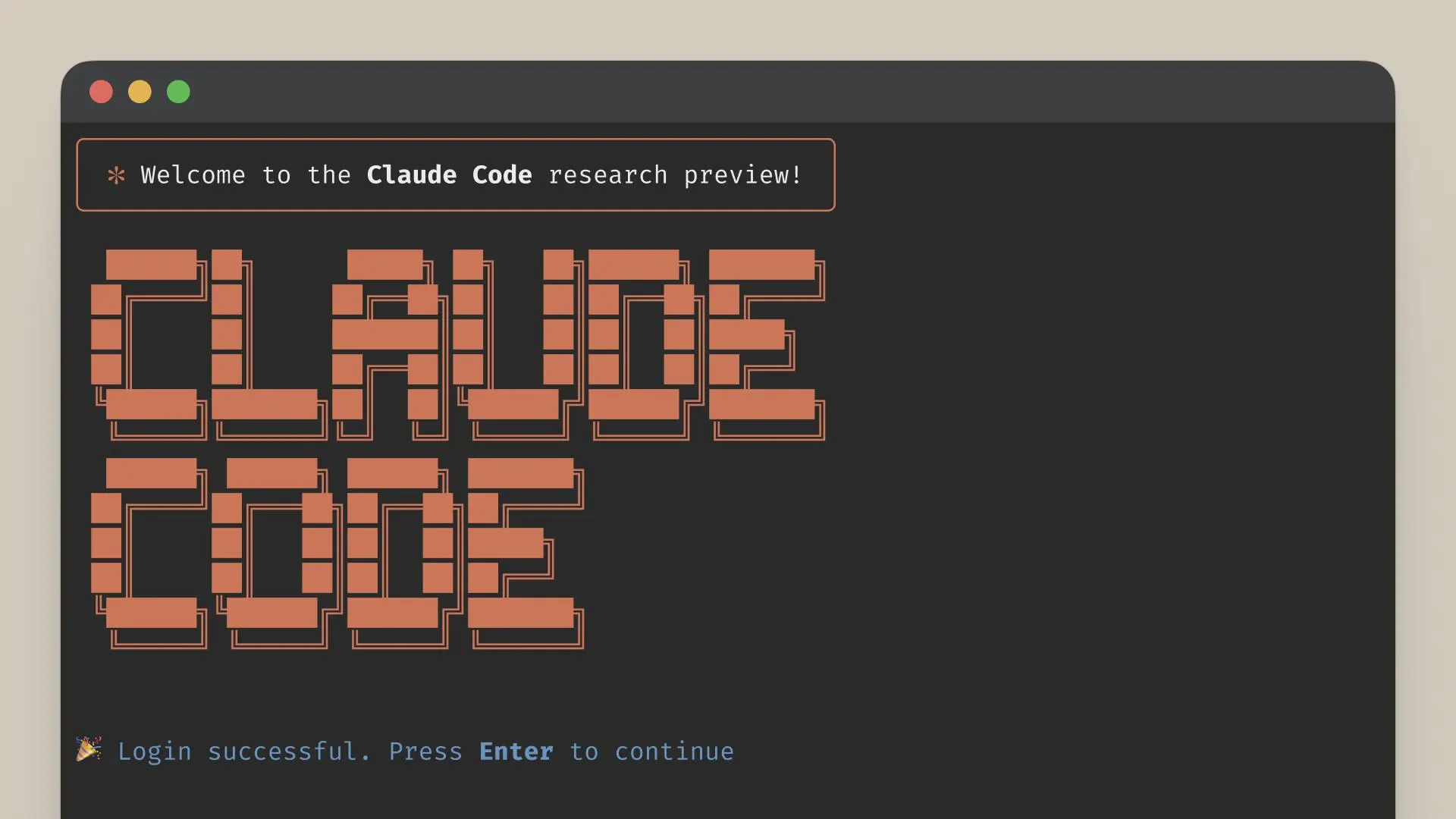
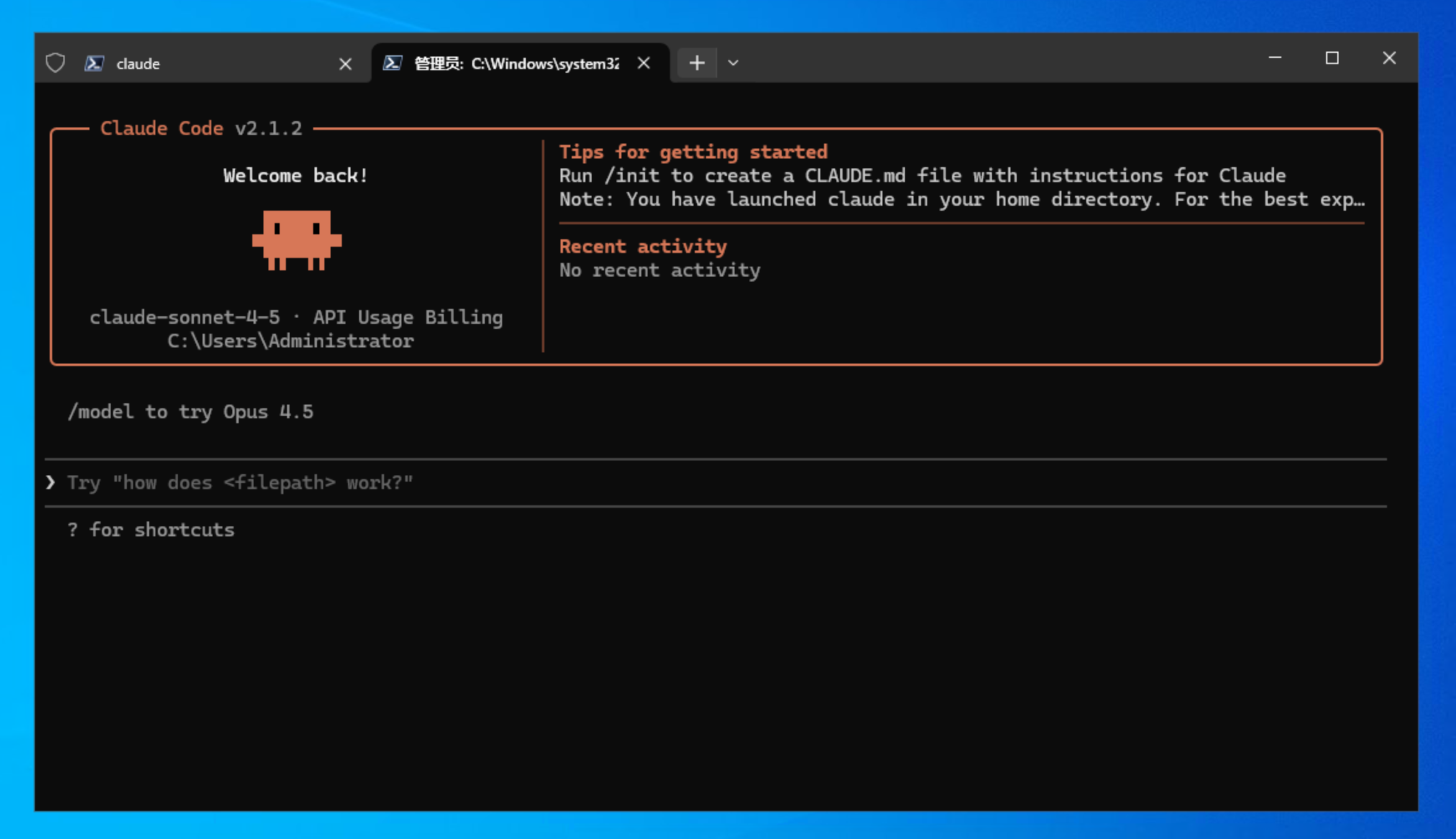
Claude Code  在 Windows PowerShell7 运行

常见问题

配置 settings.json 不生效

默认情况下这样安装的 Claude Code 会从这个位置读取配置:

C:\Users\
<YOUR_NAME>\.claude

官方流程在安装结束后就完成了,可以直接登录使用。如果你需要修改配置将 Claude Code 接入第三方 API,就需要修改这里的 settings.json 配置文件,可以使用 CC-Switch 或是手动编写,但是修改后会发现不生效。

经过调研,发现是最新版的 Claude Code 修改了一个参数,导致启动时一定要登录,这里可以手动修改一下 `C:\Users\

\.claude.json` 中的这个参数,即可正常使用: “` hasCompletedOnboarding: true “` 将配置中的 `false` 改为 `true` ,再重新运行 `Claude Code` 即可。 > 这个问题卡了我两天,一度打算放弃回到其他 OS,最后终于在 [这里](https://github.com/farion1231/cc-switch/issues/404#issuecomment-3677768452) 找到了答案,因此特别记录一下。 # Refs – [《 Claude Code 终极版 FAQ 指南 》](https://linux.do/t/topic/803265) – [Windows 用 Claude Code 的最优解是 WSL 吗?](https://linux.do/t/topic/1422264) – [请问一下claude code windows版本claude.exe是否settings.json不生效?](https://linux.do/t/topic/1327596) – [配置好 setting.json 文件之后,Claude任然要求登录?怎么办? #404](https://github.com/farion1231/cc-switch/issues/404#issuecomment-3677768452)

AI 生图精品提示词|第二期:城市星球

若没有特别说明,默认使用 AiLoft 提供的 Nano Banana Pro 模型生成。

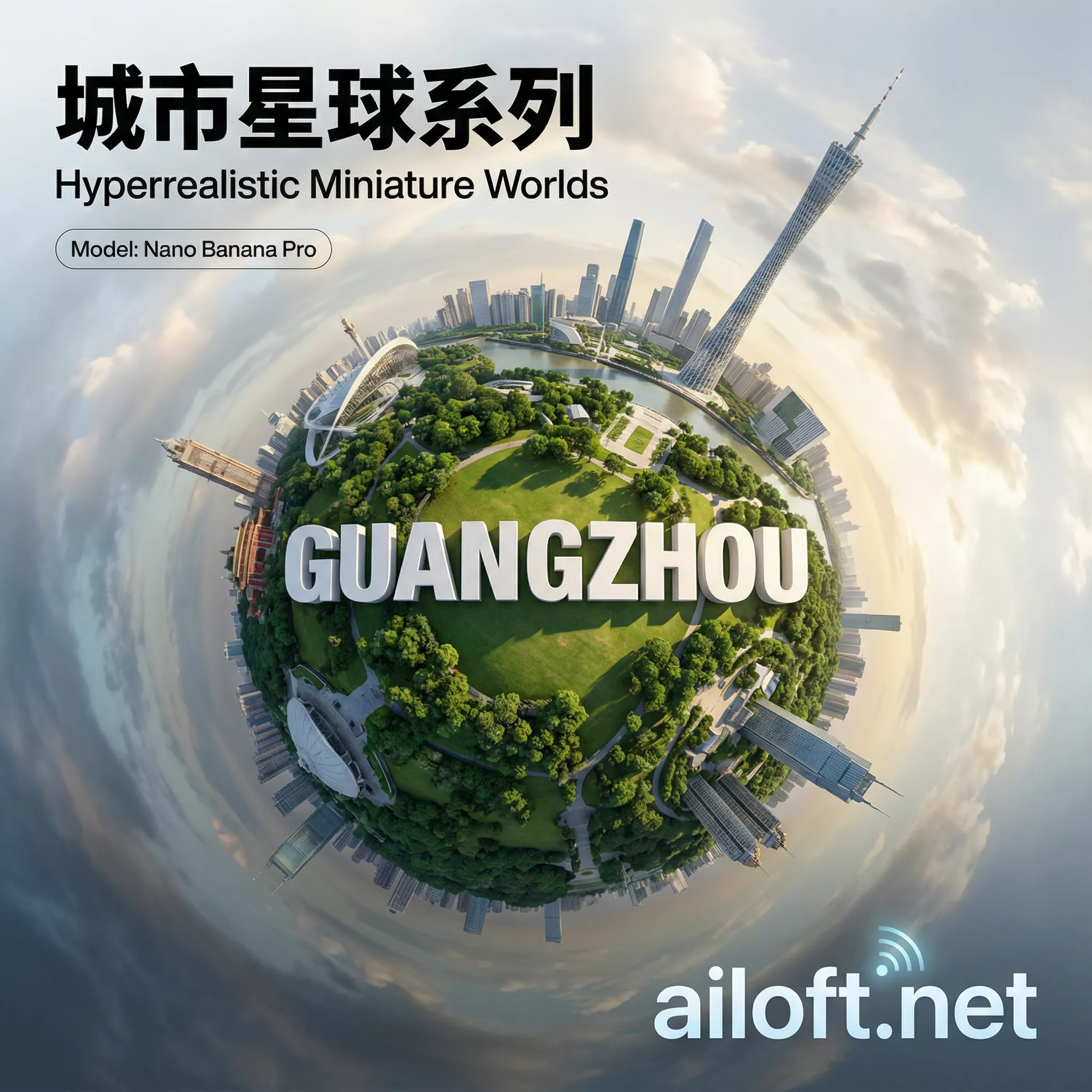
城市星球系列封面图

本次带来《城市星球》系列,先看效果图:

Refs: https://x.com/TechieBySA/status/1999577563295826208

广州城市星球

北京城市星球

厦门城市星球

香港城市星球

芝加哥城市星球

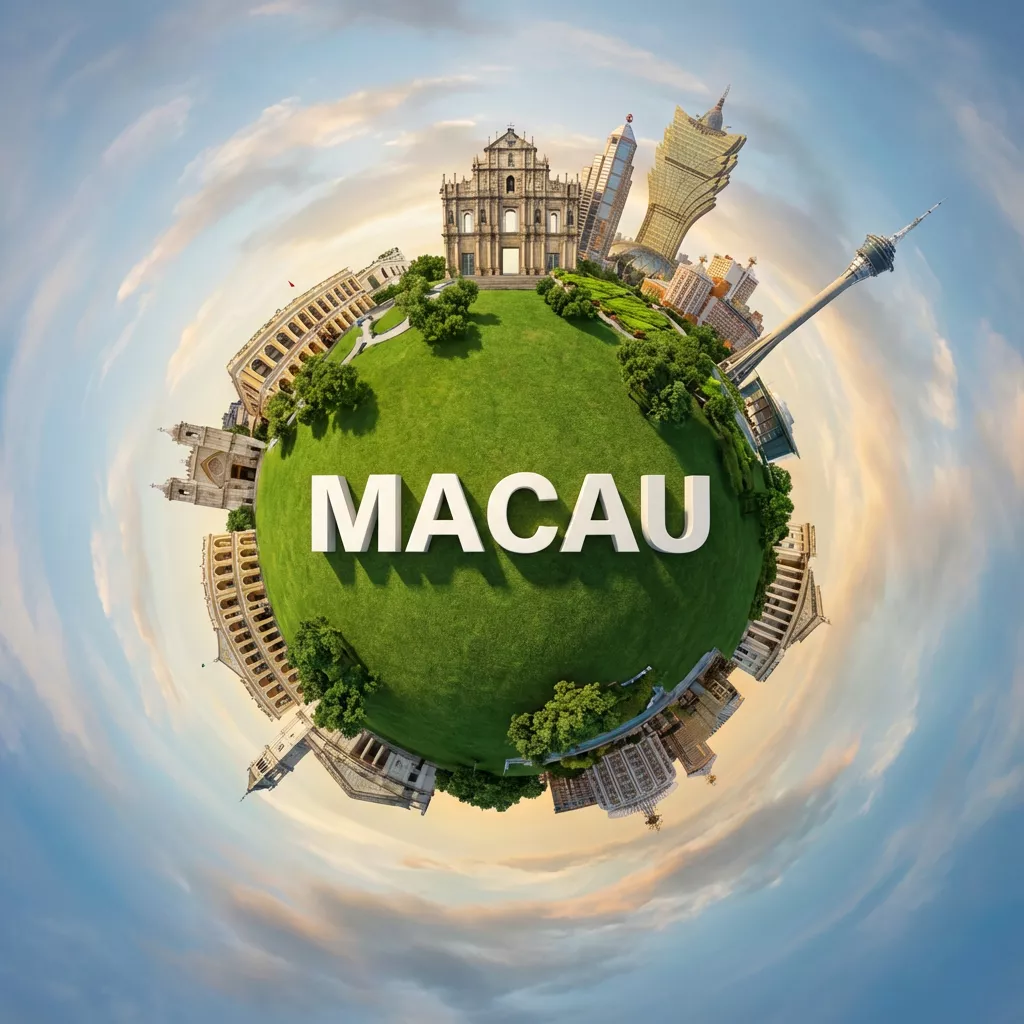
澳门城市星球

提示词如下:

Create a hyperrealistic miniature planet showcasing [GuangZhou] with famous landmarks seamlessly curving around the spherical surface. Position bold 3D white text ”[CITY]” naturally integrated across the lush green central parkland with realistic shadows and dimensional depth. Capture from a top-down orbiting angle that emphasizes the dramatic planet curvature. Use soft golden hour daylight filtering through partly cloudy skies, casting gentle shadows on emerald grass and surrounding trees. The background should blend into a swirling atmospheric sky. Apply vibrant greens, warm earth tones, and soft blues. Render in polished photorealistic style with fine architectural detail.

可以讲示例中的 GuangZhou 换成其他城市,例如:

[GuangZhou]
[BeiJing]
[XiaMen]
[ZhengZhou]
[HongKong]
[Chicago]
[Macau]

效果都很不错,快用 AiLoft 试试吧。

AI 生图精品提示词|第一期

若没有特别说明,默认使用 AiLoft 提供的 Nano Banana Pro 模型生成。

本期封面图:

英文封面图

中文封面图

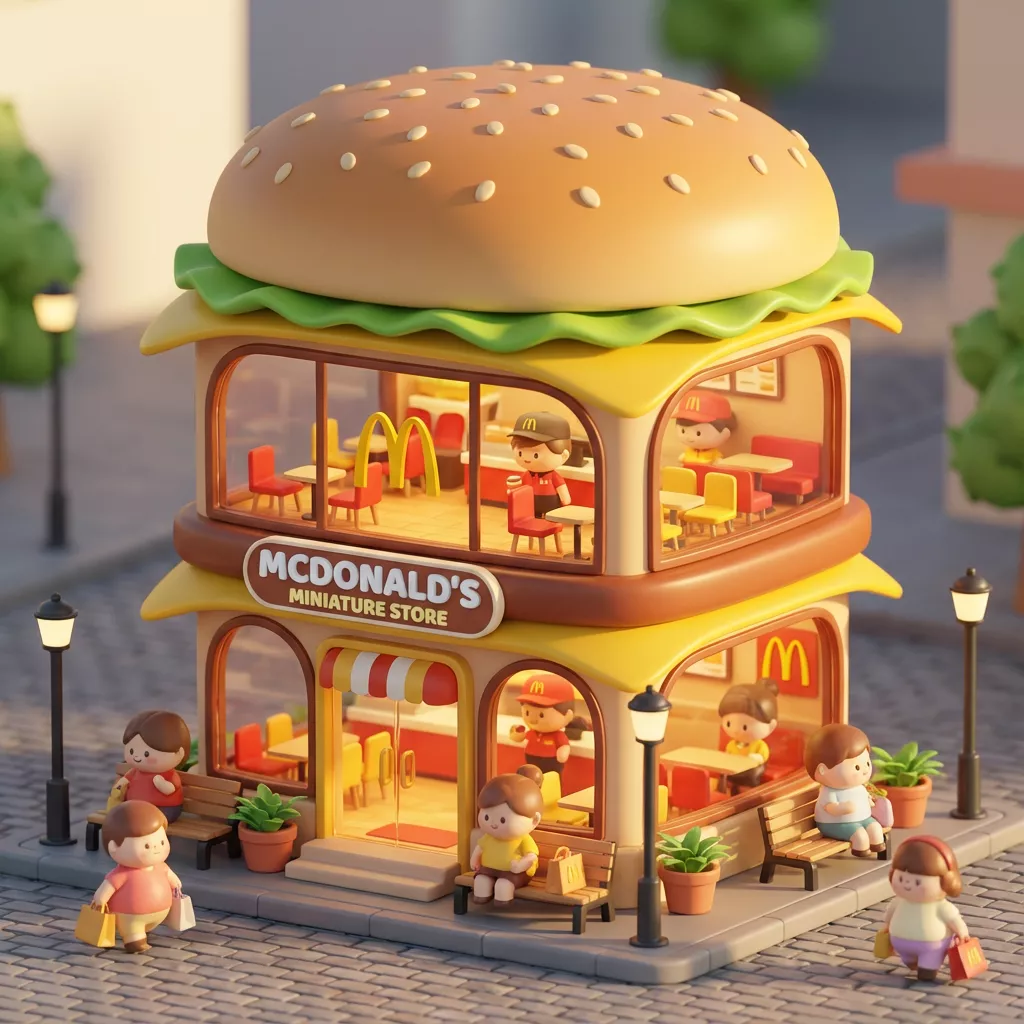
3D Q 版迷你概念商店

Refs: https://x.com/dotey/status/1995190286775881780

说明:

🍌 nano banana prompt
3D chibi-style miniature concept store of {Brand Name}

提示词:

3D chibi-style miniature concept store of {Brand Name}, creatively designed with an exterior inspired by the brand's most iconic product or packaging (such as a giant {brand's core product, e.g., chicken bucket/hamburger/donut/roast duck}). The store features two floors with large glass windows clearly showcasing the cozy and finely decorated interior: {brand's primary color}-themed decor, warm lighting, and busy staff dressed in outfits matching the brand. Adorable tiny figures stroll or sit along the street, surrounded by benches, street lamps, and potted plants, creating a charming urban scene. Rendered in a miniature cityscape style using Cinema 4D, with a blind-box toy aesthetic, rich in details and realism, and bathed in soft lighting that evokes a relaxing afternoon atmosphere. --ar 2:3

Brand name: Starbucks

效果图: Starbucks 3D chibi-style miniature concept store of Starbucks

麦当劳 3D chibi-style miniature concept store of 麦当劳

McDonald 3D chibi-style miniature concept store of McDonald

和明星自拍

refs: https://x.com/canghecode/status/1996593241421181403

提示词:

“我在[电影名称]的片场和[电影角色]自拍。

保持人物与参考图像完全一致,面部特征、骨骼结构、肤色、表情、姿势和外貌 100%相同。1:1 宽高比,4K 细节。”

实例:

参考图片:

哈利波特

我在[疯狂动物城]的片场和[Judy Hopps]、[Nick Wilde]自拍。

保持人物与参考图像完全一致,面部特征、骨骼结构、肤色、表情、姿势和外貌 100%相同。1:1 宽高比,4K 细节。

效果图:

哈利波特在疯狂动物城拍摄现场与主演合影

3D 微缩电影场景

refs: https://x.com/tsubame_99/status/1997181713546727621

Present an exquisite, miniature 3D cartoon-style scene of the user-specified subject, clearly viewed from a 45° top-down perspective.

Place the subject’s most iconic representation, character, or landmark prominently at the center, complemented by proportionally-sized icons of key elements, symbolic items, charming figures, props, and other details illustrating the subject’s core theme or narrative. The scene should be detailed, finely crafted, and playful.

Rendered with Cinema 4D, the modeling should be refined, smoothly rounded, and rich in texture, accurately capturing realistic PBR materials. Gentle, lifelike lighting and soft shadows should create a warm, comfortable ambiance.

Maintain a clean, minimalist layout and a solid-color background to highlight the primary content.

At the top-center of the scene, prominently display the subject name in a large font size.

All texts should be displayed in the language specified or entered by the user, without any background, and may subtly overlap with the scene elements to enhance overall design integration.

**Parameters:**
Aspect ratio: {User input, default 1:1}
Subject Name / Topic: {User input}

实例

Subject Name / Topic: Squid Game
Subject Name / Topic: 名侦探柯南

效果图:

名侦探柯南 3D 微缩电影场景

3D 动态城市天气场景

refs: https://x.com/dotey/status/1993729800922341810?s=46

说明:

🍌 nano banana pro prompt (with gemini)

Dynamically generate a current weather card based on a given city name.

提示词:

Present a clear, 45° top-down view of a vertical (9:16) isometric miniature 3D cartoon scene, highlighting iconic landmarks centered in the composition to showcase precise and delicate modeling.

The scene features soft, refined textures with realistic PBR materials and gentle, lifelike lighting and shadow effects. Weather elements are creatively integrated into the urban architecture, establishing a dynamic interaction between the city's landscape and atmospheric conditions, creating an immersive weather ambiance.

Use a clean, unified composition with minimalistic aesthetics and a soft, solid-colored background that highlights the main content. The overall visual style is fresh and soothing.

Display a prominent weather icon at the top-center, with the date (x-small text) and temperature range (medium text) beneath it. The city name (large text) is positioned directly above the weather icon. The weather information has no background and can subtly overlap with the buildings.

The text should match the input city's native language.
Please retrieve current weather conditions for the specified city before rendering.

City name:【广州】

效果图
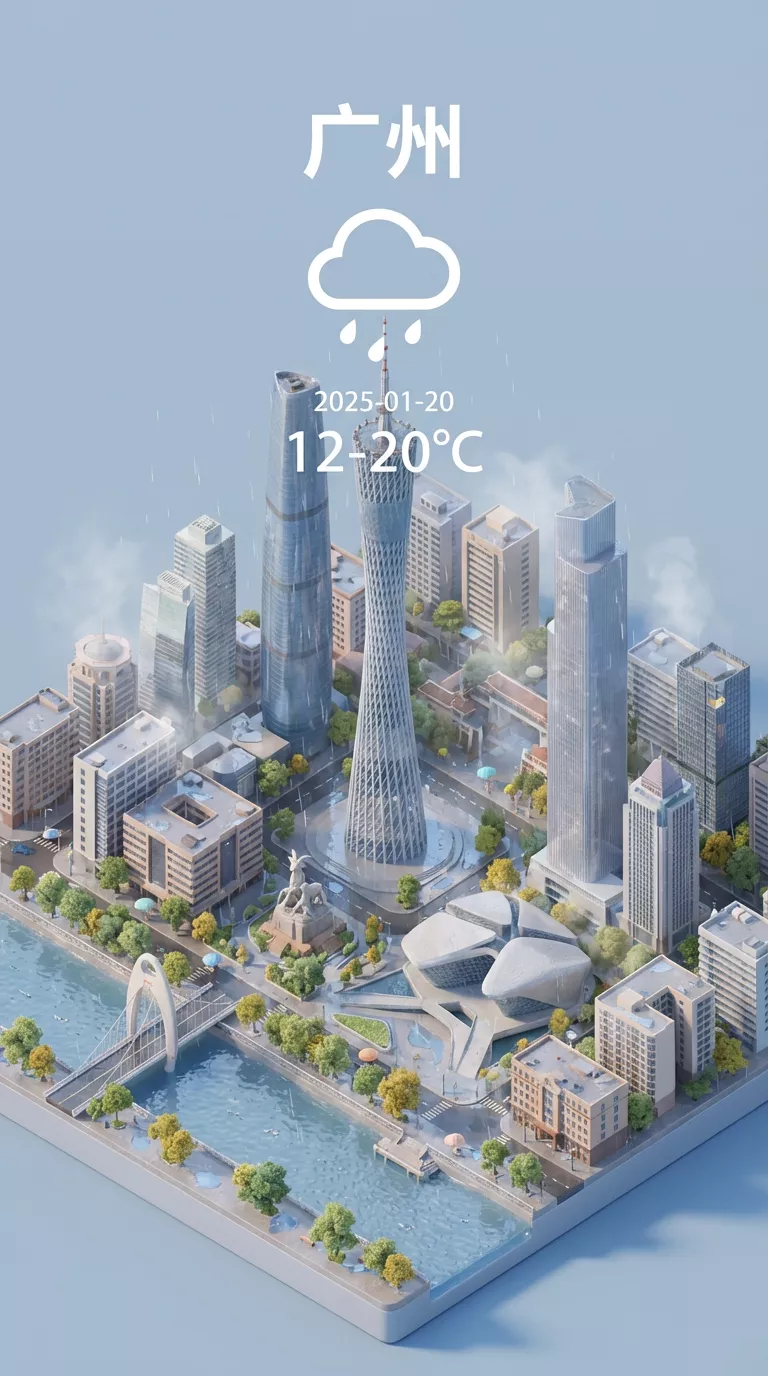
广州动态城市天气场景

3D 诗词场景

Refs: https://x.com/ykszs017/status/1997268159800434783

A vertical (9:16), intricately detailed 45° top-down isometric miniature 3D cartoon scene. The central composition is a richly composed and densely modeled visualization of an ancient Chinese poem's imagery. The scene features soft but highly tactile PBR textures with matte materials (like hand-sculpted clay with visible tool marks, aged wood grain, rough ceramic, and textured fabrics). Layered, lyrical lighting with soft shadows and ambient occlusion emphasizes the depth of every small feature. Key visual elements derived from the verses are creatively integrated into the landscape. The scene must be densely filled with micro-details to create a lived-in, immersive poetic ambiance: add scattered pebbles, moss in cracks, fallen leaves, dew drops on plants, intricate architectural carvings, tiny wildlife (like birds or fish), and environmental clutter relevant to the poem. Use a clean, unified composition that balances richness with aesthetics, set against a soft, solid-colored background that complements the scene's color palette. The overall visual style is fresh, soothing, yet elaborate and full of life. Text layout: At the top-center, display the poem title in large, elegant Chinese font. Directly beneath it, display the Dynasty and Author in medium font. The core verses of the poem are arranged below the main scene or subtly floating near relevant objects within the composition, with no background plate. Poem Title: 【天净沙·秋思】 Dynasty/Author: 【元·马致远】 Core Verses Context: 枯藤老树昏鸦,小桥流水人家,古道西风瘦马。夕阳西下,断肠人在天涯 。(Visual Focus: An old tree, tightly entwined with withered vines, has cracked branches, and a few crows are perched or flapping their wings. A small stone bridge spanning a cold and clear stream, with mist and moisture clinging to the water surface; Two or three compact houses by the stream, with very faint smoke from their chimneys, were torn apart by the cold wind. An ancient path, dusty by the autumn wind, extends deeper into the picture. A bony and thin horse, with dull fur, had its mane flapped sideways by the wind. A solitary traveler, wearing an old cloak, with a slender figure, strolled slowly in the wind. The withered and yellow grass lay on the ground, and the cracked dirt road had ruts. The setting sun was close to the horizon, its golden-red rays shattered by the wind, casting long shadows on the travelers, horses and ancient paths. The overall scene presents a desolate, dry and cold, and spacious atmosphere of late autumn.)

效果图:

天净沙·秋思

彻底解决阿里云和 tailscale 冲突

如果你在一台阿里云服务器安装并启动了 tailscale,大概率会出现阿里云服务器无法上网的问题,根本原因为阿里云服务器默认DNS与tailscale网段产生冲突。

由于阿里云和 tailscale 都使用了 100.64.0.0/10 这个网段。100.64.0.0/10 在 RFC 6598 中被保留为 运营商级 NAT (Carrier-Grade NAT) 地址段,用于 ISP 做 NAT 时避免与内网冲突。Tailscale 把它当成“只允许来自 Tailscale 接口的地址段”是符合规范的。但阿里云在 VPC 内把 100.100.2.136、100.100.2.138 作为内网 DNS 服务地址,初衷是: 地址在公网不可路由,避免外泄; 与经典网络互通时不会冲突。

由于动机不同,目标不同,造成二者冲突。

目前比较流行的方法,是关闭 tailscale 的 iptables 规则生成,但这是不安全的。浏览各种解决方案后我认为脚本轮询的方案最可靠。

脚本轮训解决

/usr/local/bin/fix-ts-dns.sh

#!/bin/bash
while true; do
  if ! iptables -C ts-input -s 100.100.2.136/32 -j ACCEPT 2>/dev/null; then
    iptables -I ts-input 1 -s 100.100.2.136/32 -j ACCEPT
  fi
  sleep 30
done

/etc/systemd/system/fix-ts-dns.service

[Unit]
Description=Keep Aliyun DNS whitelist in Tailscale chain
After=tailscaled.service

[Service]
Type=simple
ExecStart=/usr/local/bin/fix-ts-dns.sh
Restart=always

[Install]
WantedBy=multi-user.target
chmod +x /usr/local/bin/fix-ts-dns.sh
systemctl enable --now fix-ts-dns.service

脚本轮询,检查到存在 tailscale 的规则表且不存在白名单时,自动插入一条放通阿里云网段的规则。

解决方案来源:https://www.xugj520.cn/archives/aliyun-cgnat-tailscale-conflict.html

Refs

macOS 单独为鼠标或触控板开启自然滚动

macOS 系统配置“自然滚动”,虽然鼠标和触控板都可以配置,但是两个控制是同步的,更改任意一个另一个都会跟着动。

一直是这样,也没有要更改的意思。

使用 LinearMouse 这个软件可以实现单独为触控板开启自然滚动,鼠标不开启自然滚动。

对于我来说,操作自然多了。简单记录一下。

Refs

go 拉取 gitcode.com 私有 mod

TL;DR

某个项目 mod 托管在 gitcode,无法拉取。git 登陆也不行,需要配置 git 针对 gitcode 默认走 ssh 协议:

git config --global url."ssh://git@gitcode.com".insteadOf "https://gitcode.com"

在网上查到比较多的是针对 gitlab 或 github 的:

# gitlab
git config --global url."ssh://git@gitlab-company".insteadOf "https://gitlab.xxx.cn"

# github的同理
git config --global url."ssh://git@github-company".insteadOf "https://github.com"

配置后就可以正常 go mod tidy 了。

Refs

SSH 通过跳板机连接

TL;DR

有两种方式可以实现通过跳板机直接连接目标服务器 SSH.

# ProxyJump(推荐方式)OpenSSH >= 7.3
ssh -J user@jump-server.dealiaxy.com:10023 user@target.dealiaxy.com
# 在这条命令中,-J 后面指定了跳板机的地址(user@jump-server.dealiaxy.com)和端口(10023)。SSH 会先与跳板机建立连接,然后通过跳板机转发流量到目标服务器 target.dealiaxy.com。整个过程只需要一次登录操作,极大简化了访问流程。
# ProxyCommand
ssh -o "ProxyCommand ssh -W %h:%p user@jump-server.dealiaxy.com -p 10023" user@target.dealiaxy.com
# 在这个命令中,-o "ProxyCommand" 选项指定了一个自定义的命令来通过跳板机进行连接。具体地,ssh -W %h:%p 会将目标主机(%h)和端口(%p)转发给跳板机,然后通过跳板机建立与目标主机的连接。

Refs

lxc 使用 chronyc 构建 ntp 服务

lxc 启动 chronyd 是无法直接启动的,因为用到了很多未授权的权限。

TL;DR

lxc与宿主机共用内核,因此时间也是共用的,无需同步。如果你想构建一个 ntp 服务,不需要同步时间,可以像下面这样做:

$ sudo systemctl edit chrony
# 新增以下内容:
[Service]
User=
Group=
ExecStart=
ExecStart=/usr/sbin/chronyd -F 1 -x

这些配置会覆写默认的 chrony 后台服务参数,启动 chronyd 时加 -x,禁用步进/微调系统时钟,这样即使没有 CAP_SYS_TIME 也能跑起来。 上面两行 User 和 Group 这样 chronyd 会以 root 启动,然后按照 /etc/chrony/chrony.conf 里的 user chrony 自动降权运行,这是官方推荐方式。

这样配置后 chrony 的服务就可以启动了,可以对外发布 ntp 服务。

Refs