基于 listmonk 实现 rss to mail
listmonk 部署
安装 官方教程 进行即可,大致如下:
# Download the compose file to the current directory.
curl -LO https://github.com/knadh/listmonk/raw/master/docker-compose.yml

# Run the services in the background.
docker compose up -d
rss to mail 脚本
主程序 main.py
import feedparser
	import requests
	import json
	import os
	import logging
	from time import sleep
	from dateutil import parser
	from typing import List, Dict
	import re

	# 配置日志
	logging.basicConfig(
	    level=logging.DEBUG,
	    format='%(asctime)s - %(levelname)s - %(message)s',
	    handlers=[
	        logging.FileHandler('rss_checker.log'),
	        logging.StreamHandler()
	    ]
	)
	logger = logging.getLogger(__name__)

	RSS_URL = os.getenv('RSS_URL', "https://xxx.com/feed/")
	LISTMONK_API_URL = os.getenv('LISTMONK_API_URL', "https://listmonk.xxx.com/api/campaigns")
	LISTMONK_TOKEN = os.getenv('LISTMONK_TOKEN', "bot:xxx")
	LISTMONK_SEND_LIST_ID = int(os.getenv('LISTMONK_SEND_LIST_ID', 4))
	LISTMONK_SEND_LIST_IDS = [LISTMONK_SEND_LIST_ID]

	class RSSChecker:
	    def __init__(self):
	        self.rss_url = RSS_URL
	        self.listmonk_url = LISTMONK_API_URL
	        self.headers = {
	            "Content-Type": "application/json",
	            "Authorization": "token" + LISTMONK_TOKEN
	        }
	        self.max_retries = 3
	        self.retry_delay = 5  # seconds

	    def clean_html_content(self, html_content: str) -> str:
	        """清理HTML内容,移除以http://或https://开头的内容"""
	        try:
	            if not html_content:
	                return ""

	            # 移除以http://或https://开头的内容
	            cleaned_content = re.sub(r'https?://\S+', '', html_content)

	            # 清理多余的空白字符
	            cleaned_content = re.sub(r'\s+', ' ', cleaned_content).strip()

	            return cleaned_content

	        except Exception as e:
	            logger.error(f"清理HTML内容时出错: {str(e)}")
	            return html_content  # 如果处理失败,返回原始内容


	    def get_last_check_time(self) -> str:
	        try:
	            with open('last_check.txt', 'r') as f:
	                last_time = f.read().strip()
	                logger.debug(f"读取到上次检查时间: {last_time}")
	                return last_time
	        exce
依赖 requirements.txt
beautifulsoup4==4.12.3
feedparser==6.0.11
Requests==2.32.3
为方便使用的 Makefile
all: broadcast

broadcast: venv
    venv/bin/python3 main.py

venv:
    python3 -m venv venv
    venv/bin/pip3 install -r requirements.txt -i https://mirrors.tuna.tsinghua.edu.cn/pypi/web/simple
定时触发脚本,定时运行即可,修改为自己的内容。
export RSS_URL=https://xxx.com/feed/
export LISTMONK_API_URL=https://listmonk.xxx.com/api/campaigns
export LISTMONK_TOKEN=apiusername:api-token
export LISTMONK_SEND_LIST_ID=3

cd /mnt/data/script/listmonk_RSS_to_mail &&  make
效果展示
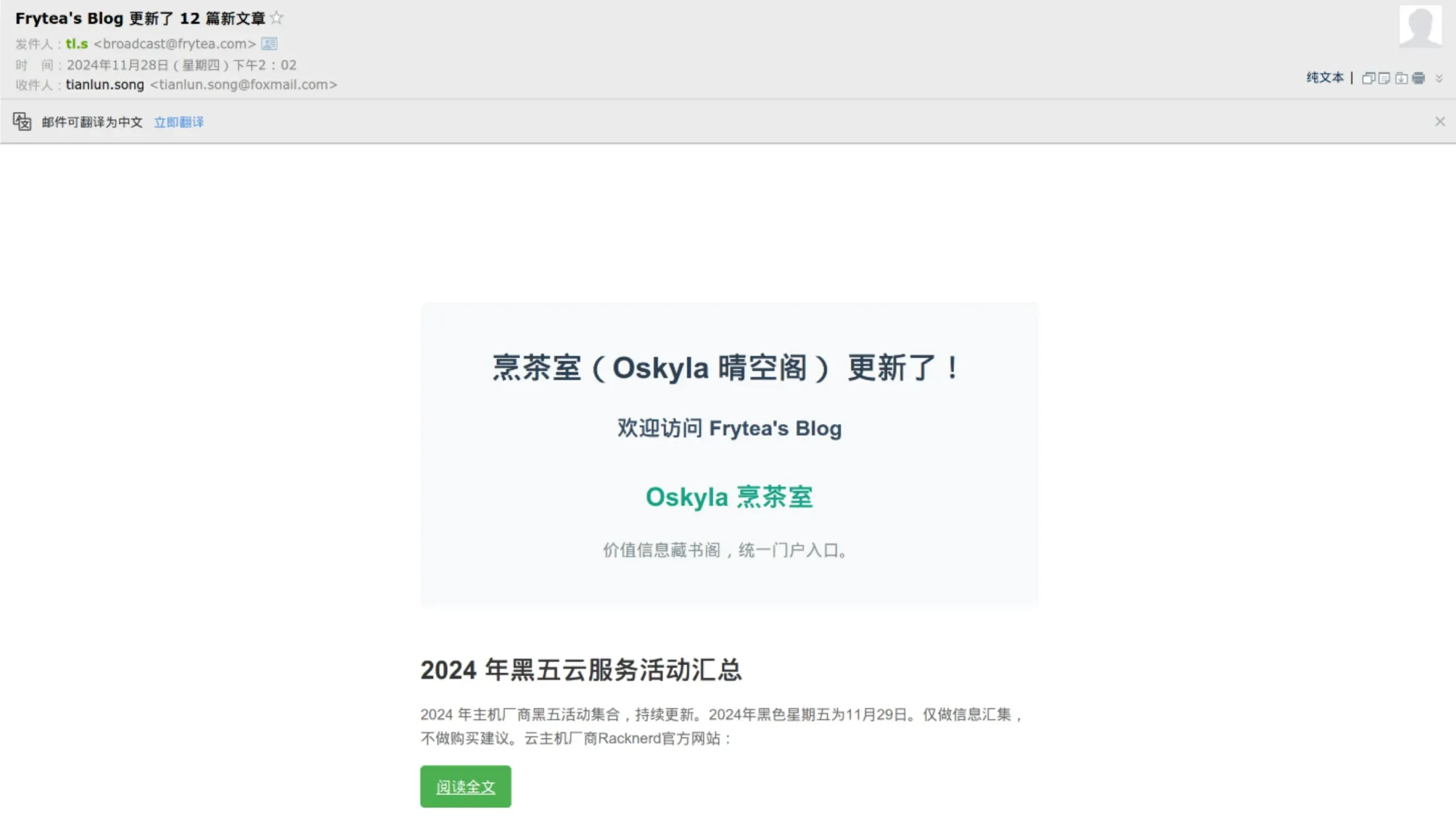
欢迎订阅:https://frytea.com/subscribe.html