macOS 下可选择多种 Emacs GUI ,建议 Emacs Mac Port。
安装 Emacs mac Port
brew tap railwaycat/emacsmacport
brew install --cask emacs-mac
相较于 Emacs For Mac OS X ,Emacs Mac Port 界面效果更好,裸 Emacs 的图标更加美观,建议使用。
macOS 下可选择多种 Emacs GUI ,建议 Emacs Mac Port。
brew tap railwaycat/emacsmacport
brew install --cask emacs-mac
相较于 Emacs For Mac OS X ,Emacs Mac Port 界面效果更好,裸 Emacs 的图标更加美观,建议使用。
昨夜十一点,回到了居住地, 看着熟悉的一切, 心里感触良多,离开的这 7 天,仿佛过去了很久很久。
一方面,两年没回家了,23 年终于回了一趟家, 另一方面,第一次这么远距离的旅行,总担心有什么突发状况, 好在一切顺利,当前已顺利返程,下次再回家就安心许多了。

这次回家,感受到太多的不一样,上一次回家是 2021 年 5 月 1 日。 上一次在家过年是 2020 年春节,那年在家度过大学最后一个学期,2020 年 6 月 1 日入职第一份工作,离开了家乡。
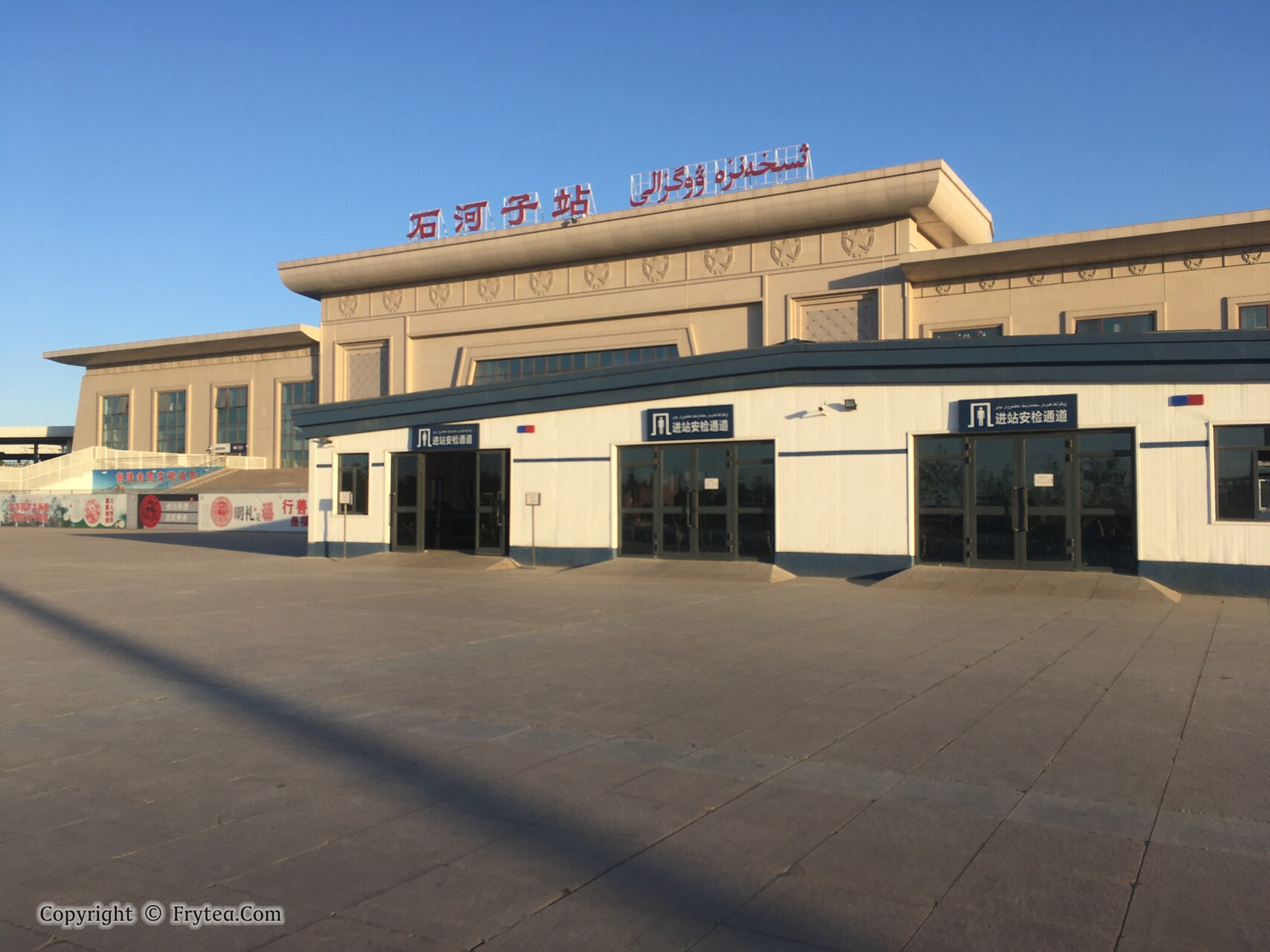
两年没回家,家里的变化很大,家人的变化也很大。
先说说家里的变化, 石河子的大街小巷装潢一新,最熟悉的几个街道开了许多新店,能撑过 4 个月封城的,似乎还是那些多年以前就在这里的店面。

石河子有了万达广场,非常时髦,一切都是新奇的,特别是这里的人非常时髦,一点不比内地大部分城市差,甚至还要高过一截。

景观河还在那里,世纪广场和游憩广场过年这几天有花灯秀,军垦博物馆的外围多了些军垦特色的藏品展,能把藏品展示在户外,而且不用担心藏品折损,还与环境融为一体,大概也只有这里了吧。
北泉镇这边,通往石河子更加方便了,多条断头路被修通,公交线路焕然一新,“进城”更加方便了。
几年的温度似乎比往年要冷一些,记得前几年过年,春节后冷冻在室外的年货都要解冻了,爷爷奶奶不得不把那些被迫解冻的饺子蒸熟来吃。
今年,走向室外居然需要一些勇气,戴着口罩走两步眼镜就是一层雾,如果不管再走两步就结冰了。降雪似乎也更多了些,来的这几天大部份时间都飘有小雪,瑞雪兆丰年,这是个好兆头。

过年,似乎这里的家人都没有往年那么积极了,三十中午还是冷冷清清,奶奶一个人待在家里。到了大年初一,房子里已经装不下了,四代同堂,好不热闹。
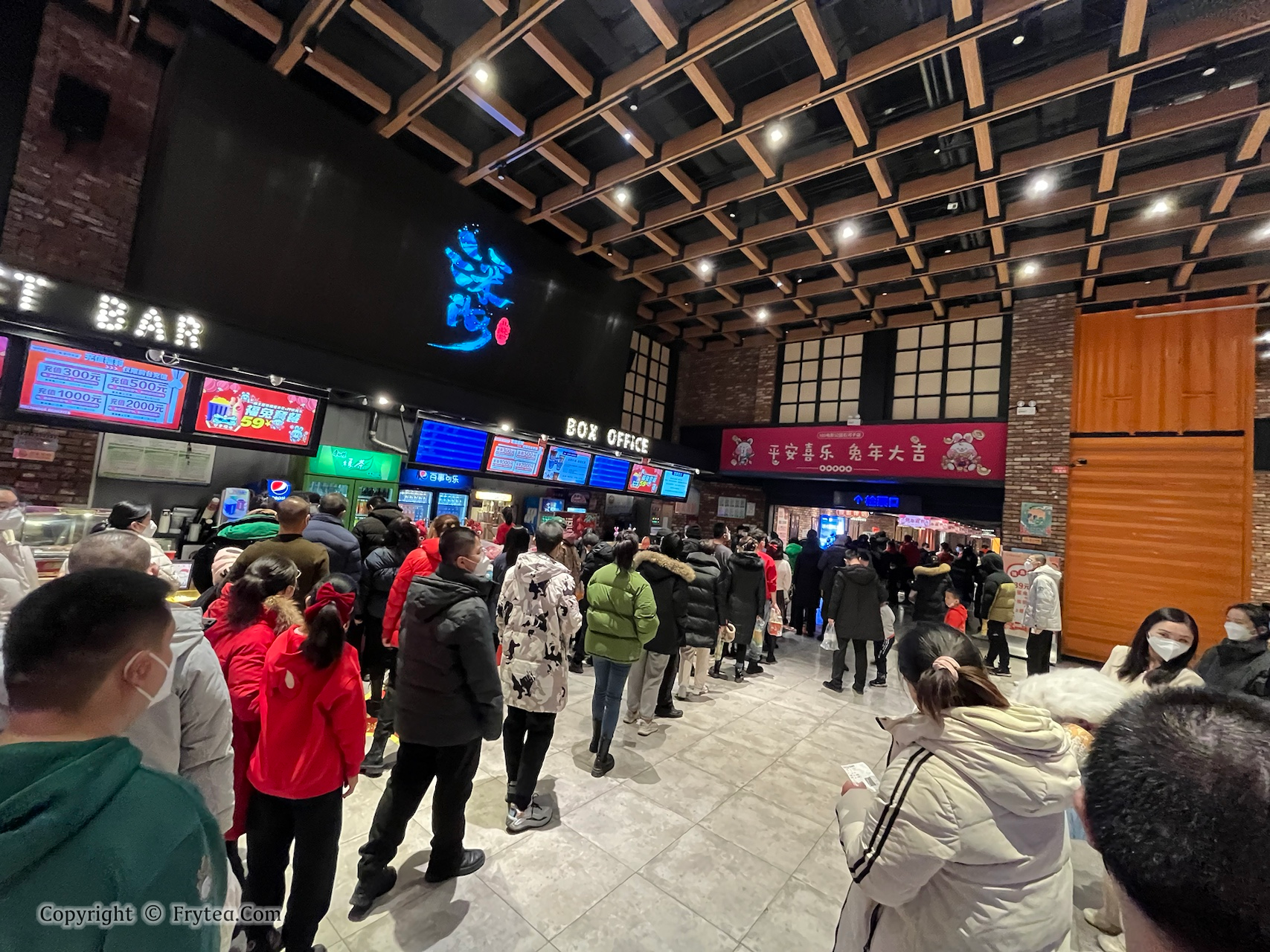
晚上,我们这代人一起去看了电影《流浪地球 2》,没想到电影院这一层人挤人,打电动的、看电影的、四处游玩的,就连检票都排起了长长的队伍,这是我多年来第一次见到的。
新疆人性格相比南方略微急躁,石河子人稍好,虽然还是稍微急躁,但大都充满善意。去超市购买护肤品,只是太干需要润一些,在一众昂贵的护肤品中,给我推荐的是最实用 9.9 一瓶的维 E 乳。
第一次发压岁钱,也是在今年,家里有了小孩子,就一切围绕小孩子在转了。
跟家里人聊了很多,发现家里人变化也很大。几位亲戚搬到了乌鲁木齐,过的很好很开心,很为他们感到开心。
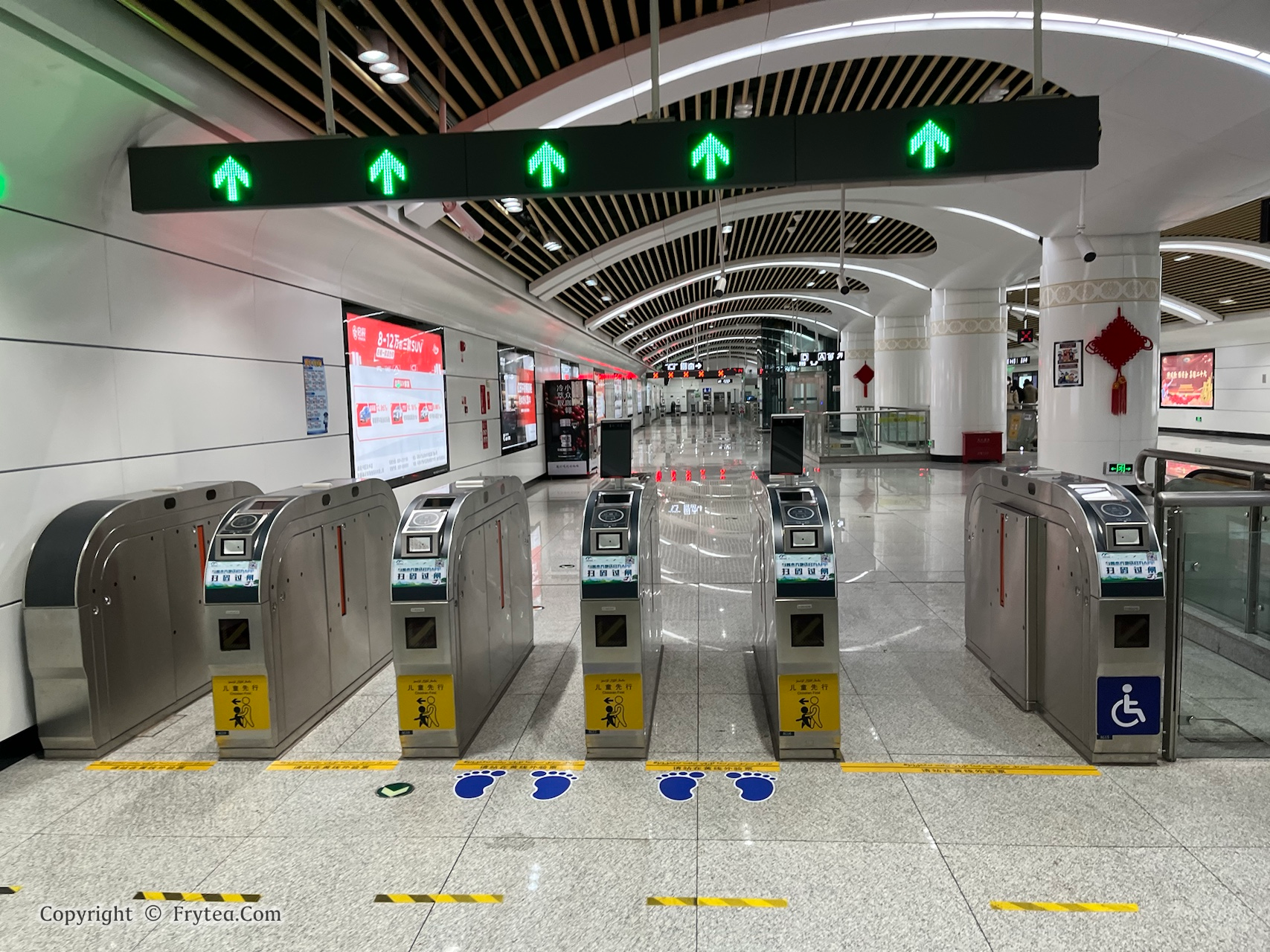
开车进入乌鲁木齐,瞬间有一种拥挤感,从道路、到街道,路上的行人行色匆匆,地铁上一半汉族人,一半少数民族,真是别样的风景。这里的亲戚真的好热情,跟小时候一样,看得出他们在这里活的很开心,跟这边的亲戚联络也很好,真心为他们感到开心,从奎屯搬到乌鲁木齐发展,绝对是一个正确的抉择。
当我还沉浸在归家的喜悦、反差的感受,在思考还有很多事情没有做的时候,我的航程已经临近。
乌鲁木齐地铁,这几天免费坐,但乘客依然稀少。
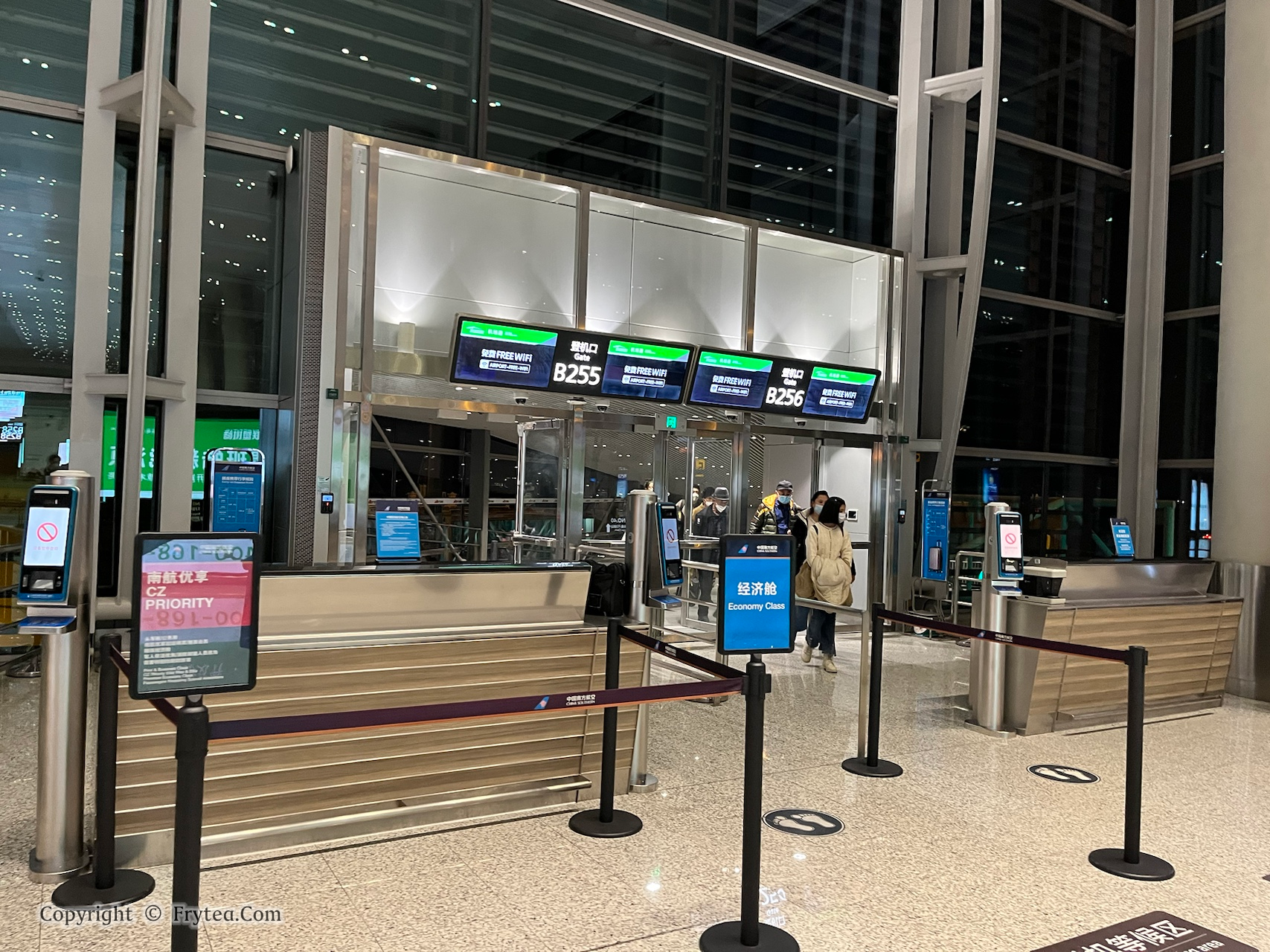
来到乌鲁木齐地窝堡国际机场,姐姐送我到机场,感慨良多。通过总是比内地严格一些的安检,进入四处都是新疆特色产品的机场,即将登机,坐在登机口附近,这里大约三分之一的少数民族,一部分人在说粤语,还有许多一家三口出行的人。多年后我会是怎样的情况呢,感慨万千。

飞机平安落地,延迟起飞,提早落地,走出登机口,发现还是自己出发时的那个登机口,有点意思:
后来我就回来了,居住的公寓楼附近人并不多,一些饭店已经开始营业,这天是初五,到处都在迎财神。新的一年就要来临了。
这几天在业余时间开始研究使用 Emacs,发现 org-mode 真是个好东西,相比于更加流行的日程规划软件,更像日程规划软件,更加符合直觉,具有更多可能性,配合使用 beorg 感觉很不错。
至此,就要准备开始新的一年了,2023,赶走了瘟神,又回到了以前的样子,希望新的一年一切顺利,国泰民安,平平安安,幸福安康。

广州还是常常可以看到烟花的,很棒。
顺利返程,意味着这个年,就算过去了,即将开始新一年的挑战。
这次返乡,出乎预料,感触良多,似乎再次充满了力量。
相信信任的力量,我们要自信,然后继续前行!
dos2unix 是将 Windows 格式文件转换为 Unix/Linux 格式的实用命令。
unix2dos则是和dos2unix互为孪生的一个命令,将Linux&Unix格式文件转换为Windows格式文件的命令。
各个操作系统安装方法如下:
OS X
    brew install dos2unix
Debian
    apt-get install dos2unix
Ubuntu
    apt-get install dos2unix
Alpine
    apk add dos2unix
Arch Linux
    pacman -S dos2unix
Kali Linux
    apt-get install dos2unix
CentOS
    yum install dos2unix
Fedora
    dnf install dos2unix
Windows (WSL2)
    sudo apt-get update sudo apt-get install dos2unix
Raspbian
    apt-get install dos2unix
Dockerfile
    dockerfile.run/dos2unix
Docker
    docker run cmd.cat/dos2unix dos2unix
下面以 15分钟学会Emacs Lisp 教学源文件为例展示效果。
$ dos2unix learn-emacs-lisp-zh.el
dos2unix: converting file learn-emacs-lisp-zh.el to Unix format...
转换前后的对比如下:
上方是转换后的文件,下方是转换前的文件,使用 Emacs 打开。
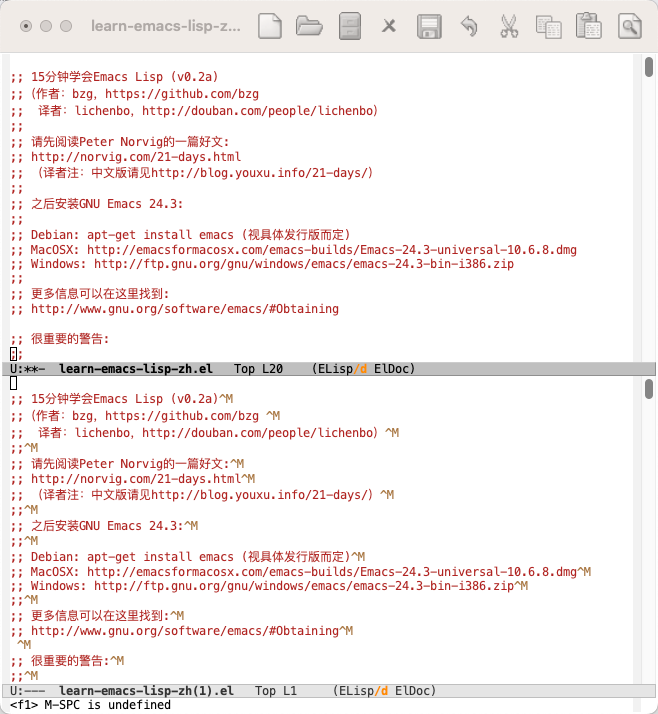
可以看到,转换前该文件使用的是 Windows 风格的换行符,转换后该文件使用 Unix 风格换行符。
Unix 系统中:每行结尾只有 “”,即
\n; Windows 系统中:每行结尾是 “”,即\r\n; Mac 系统中:每行结尾是 “”,即\r“。
建议软件包安装,二进制安装请自行解决配置问题,docker安装需考虑网络问题。
apt install prometheus-blackbox-exporter# 下载安装
wget https://github.com/prometheus/blackbox_exporter/releases/download/v0.23.0/blackbox_exporter-0.23.0.linux-amd64.tar.gz
tar -xvf blackbox_exporter-0.23.0.linux-amd64.tar.gz
mv blackbox_exporter-0.23.0.linux-amd64/ /usr/local/blackbox_exporter
# 创建配置文件
cat > /data/black_exporter/black_exporter.yml << EOF
modules:
http_2xx:
prober: http
timeout: 20s
http:
preferred_ip_protocol: "ip4"
http_post_2xx_query:
prober: http
timeout: 20s
http:
preferred_ip_protocol: "ip4" ##使用ipv4
method: POST
headers:
Content-Type: application/json ##header头
body: '{"hmac":"","params":{"publicFundsKeyWords":"xxx"}}' ##传参
tls_connect_tls:
prober: tcp
timeout: 5s
tcp:
tls: true
tcp_connect:
prober: tcp
timeout: 5s
#
pop3s_banner:
prober: tcp
tcp:
query_response:
- expect: "^+OK"
tls: true
tls_config:
insecure_skip_verify: false
ssh_banner:
prober: tcp
tcp:
query_response:
- expect: "^SSH-2.0-"
irc_banner:
prober: tcp
tcp:
query_response:
- send: "NICK prober"
- send: "USER prober prober prober :prober"
- expect: "PING :([^ ]+)"
send: "PONG ${1}"
- expect: "^:[^ ]+ 001"
icmp:
prober: icmp
timeout: 20s
EOF
# 配置systemd
cat > /etc/systemd/system/blackbox_exporter.service <<EOF
[Unit]
Description=blackbox_exporter
Documentation=https://prometheus.io/
After=network.target
[Service]
Type=simple
User=prometheus
ExecStart=/usr/local/bin/blackbox_exporter --config.file=/data/blackbox-exporter/black-exporter.yml
Restart=on-failure
[Install]
WantedBy=multi-user.target
EOF
# 启动服务
systemctl enable blackbox_exporter.service
systemctl start blackbox_exporter.service
systemctl status blackbox_exporter.service
docker run --rm \
  -p 9115/tcp \
  --name blackbox_exporter \
  -v $(pwd):/config \
  quay.io/prometheus/blackbox-exporter:latest --config.file=/config/blackbox.yml

# 创建配置文件
cat > /data/docker/blackbox-exporter/black-exporter.yml << EOF
modules:
  http_2xx:
    prober: http
    timeout: 20s
    http:
      preferred_ip_protocol: "ip4"
  http_post_2xx_query:
    prober: http
    timeout: 20s
    http:
      preferred_ip_protocol: "ip4" ##使用ipv4
      method: POST
      headers:
        Content-Type: application/json ##header头
      body: '{"hmac":"","params":{"publicFundsKeyWords":"xxx"}}' ##传参
  tls_connect_tls:
    prober: tcp
    timeout: 5s
    tcp:
      tls: true
  tcp_connect:
    prober: tcp
    timeout: 5s
 #
  pop3s_banner:
    prober: tcp
    tcp:
      query_response:
      - expect: "^+OK"
      tls: true
      tls_config:
        insecure_skip_verify: false
  ssh_banner:
    prober: tcp
    tcp:
      query_response:
      - expect: "^SSH-2.0-"
  irc_banner:
    prober: tcp
    tcp:
      query_response:
      - send: "NICK prober"
      - send: "USER prober prober prober :prober"
      - expect: "PING :([^ ]+)"
        send: "PONG ${1}"
      - expect: "^:[^ ]+ 001"
  icmp:
    prober: icmp
    timeout: 20s
EOF

docker run -d \
  --net myDefault \
  --restart always \
  -p 9115:9115/tcp \
  --name blackbox-exporter \
  -v /data/docker/blackbox-exporter:/config \
songtianlun/blackbox-exporter:v0.23.0 --config.file=/config/black-exporter.ymlcurl http://192.168.5.152:9115/probe?target=www.frytea.com&module=http_2xx# https monitor
- job_name: 'hci-https-monitor'
metrics_path: /probe
params:
module: [tls_connect_tls]
static_configs:
- targets:
- 'https://192.168.5.221:8006'
- 'https://192.168.5.222:8006'
- 'https://192.168.5.187:8006'
relabel_configs:
- source_labels: [__address__]
target_label: __param_target
- source_labels: [__param_target]
target_label: instance
- target_label: __address__
replacement: 10.19.0.1:9115 # The blackbox exporter's real hostname:port.
# http monitor
- job_name: 'hci-http-monitor'
metrics_path: /probe
params:
module: [http_2xx]
static_configs:
- targets:
- 'http://192.168.5.221:3000'
relabel_configs:
- source_labels: [__address__]
target_label: __param_target
- source_labels: [__param_target]
target_label: instance
- target_label: __address__
replacement: 10.19.0.1:9115 # The blackbox exporter's real hostname:port.
# icmp 监控
- job_name: 'hci-icmp-monitor'
scrape_interval: 1m
metrics_path: /probe
params:
module: [ "icmp" ]
static_configs:
- targets:
- 192.168.5.254
- 192.168.5.221
- 192.168.5.222
- 192.168.5.187
relabel_configs:
- source_labels: [__address__]
target_label: __param_target
- source_labels: [__param_target]
target_label: instance
- target_label: __address__
replacement: 10.19.0.1:9115 # The blackbox exporter's real hostname:port.
Grafana导入Dashboard-ID:7587
最近在使用 Paralles Desktop 过程中,发现一旦忘记用户密码,是一件挺麻烦的事情。尝试各种方法打不开 grub 启动菜单。
后来发现可以使用其提供的命令工具修改用户密码,很好用,在此记录:
# 首先获取虚拟机 UUID
$ prlctl list
UUID                                    STATUS       IP_ADDR         NAME
{fdf05394-dc61-4d07-b6e5-e81ef5277a64}  running      -               Ubuntu 22.04 ARM64

# 设定用户密码
$ prlctl set fdf05394-dc61-4d07-b6e5-e81ef5277a64 --userpasswd
<USERNAME>:<PASSWORD>
Authentication tokens updated successfully.
Success. The operation was successfully completed.

The VM has been successfully configured.尝试在 MacBook Air m1 安装 asahi linux ,在磁盘分区过程遭遇报错,具体过程没有留下来,是类似这样的报错:
error: doc-id tree: record exists for doc-id 64, file-id 9665861 but no inode references this doc-id大致解决是要进恢复模式,之后使用急救程序尝试修复。
尝试后发现还是报错,后来在 asahi linux 的 github 找到一个类似问题,使用下列方法解决:
I had a similar issue, where /dev/disk3s5 had warnings that wouldn’t go away, and I solved it as follows:
Boot into recovery and open a terminal
`diskutil unmountdisk /dev/disk3`
`fsck_apfs /dev/disk3` (and hit y in response to the various prompts)
I believe unmounting was the important part.
之后磁盘分区就不报错了。
参考文献: https://github.com/AsahiLinux/asahi-installer/issues/88#issuecomment-1095019173
控制变量,均为直飞+当日价格最优惠前5, 均加购 50 元左右的退改险。
距离起飞 22 天,花费 3410 距离起飞 9 天,机票花费2510 活活贵了 900 块!
恰好这几天公司休假时间微调, 于是我选择了退票, 购入了更合适时间的南航机票, 舍去退票费, 居然还能剩下100块, 机票真的很魔幻了。
但在这里必须要补充的是, 我购买的是广州飞新疆, 这条可能不那么热门的航线, 也许正因此,日期临近, 机票销售不佳, 才会有这样的降价策略吧。
总结一下, 万事物极必反, 需要在航线热度、起飞时间、延误风险、时刻舒适度等, 这些重要因素之中反复权衡, 达到既能满足需求, 又要足够舒适, 还要省钱, 几者的共赢。
这件事大概没有通行的做法, 掌握原则, 也许可省下一些机票钱。
chrony是网络时间协议的实现。它可以替代ntpd,后者是NTP的参考实现。它在类Unix操作系统上运行,并在GNU GPL v2下发布。
服务端和客户端配置文件都是同一个,分别配置为服务器和客户端即可使用,
配置文件在 /etc/chrony.conf or /etc/chrony/chrony.conf ,具体看版本,
可以使用 man chrony 确认一下。
服务端配置:
# Use public servers from the pool.ntp.org project.
# Please consider joining the pool (http://www.pool.ntp.org/join.html).
server s1a.time.edu.cn iburst
server ntp.aliyun.com iburst

# Allow NTP client access from local network.
allow 192.168.8.0/24
开启同步
systemctl enable chronyd
systemctl restart chronyd

# 查看时间同步状态
timedatectl status
# 开启网络时间同步
timedatectl set-ntp true# Use public servers from the pool.ntp.org project.
# Please consider joining the pool (http://www.pool.ntp.org/join.html).
server 192.168.8.5 iburst
# Allow NTP client access from local network.开启同步
systemctl enable chronyd
systemctl restart chronyd

# 查看时间同步状态
timedatectl status
# 开启网络时间同步
timedatectl set-ntp true# 查看 ntp_servers
chronyc sources -v
# 查看 ntp_servers 状态
chronyc sourcestats -v
# 查看 ntp_servers 是否在线
chronyc activity -v
# 查看 ntp 详细信息
chronyc tracking -v以下为删除 LVM 步骤,需要按照顺序执行:
卸载 LV 上的文件系统。
a.执行命令 mount –l 命令查看目前LV挂载到本地的目录。
b. 执行 umount 挂载的目录卸载挂载在LV上的文件系统。
使用 lvdisplay 命令查询LV信息,获取需要删除 LV 的 LV name
使用 lvremove LV name 命令删除LV
# lvremove /dev/vg0/lv0

提示是否删除:

Do you really want to remove active logical volume "lv0"? [y/n]:

输入y 确认后显示如下信息,说明LV删除成功。

Logical volume "lv0" successfully removed删除VG。
# vgremove /dev/vg0

显示如下信息,说明PV删除成功。

Labels on physical volume "/dev/sda1" successfully wipedd使用 pvremove 命令移除 PV
最后使用 fdisk 修改 ID
在服务器和容器平台建议关闭 SWAP,避免内存交换影响服务器性能,甚至引发数据丢失。
一、不重启电脑,禁用启用swap,立刻生效
# 禁用命令

sudo swapoff -a

# 启用命令

sudo swapon -a

# 查看交换分区的状态
sudo free -m二、重新启动电脑,永久禁用Swap
把根目录文件系统设为可读写
sudo mount -n -o remount,rw /用vi修改/etc/fstab文件,在swap分区这行前加 # 禁用掉,保存退出
vi /etc/fstab

i      #进入insert 插入模式

:wq   #保存退出
mount -a
# 使 fstab 文件生效重新启动电脑,使用free -m查看分区状态
reboot

sudo free -m